
Redirects
Everything we know about HTTP redirects -- when to use which type, how to chain them safely, and how to find what's already broken.
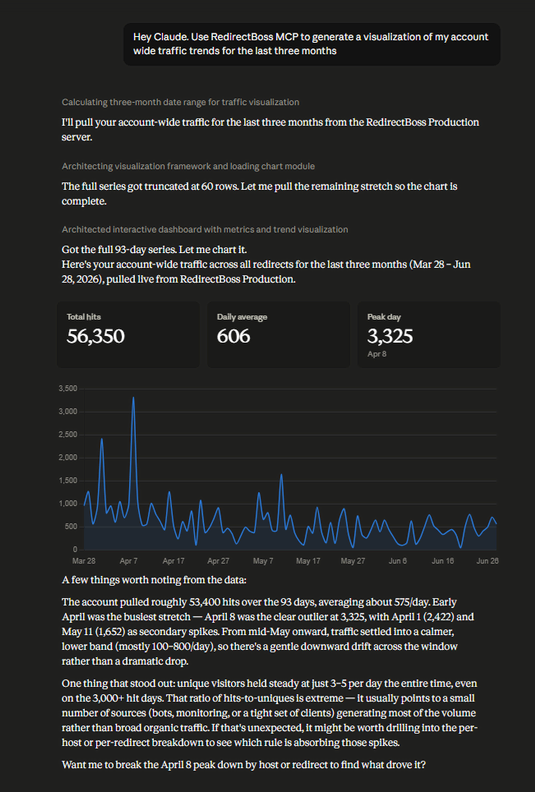
Configure, Manage, and Monitor Your Redirects, Click-Free
Most redirect work is dashboard work: log in, find the host, add the rule, pick the status code, save, verify in another tab. None of it is hard. All of it is clicking. Connect your RedirectBoss account to an AI assistant like Claude through our Model Context Protocol (MCP) server and you can just ask: "set up this redirect, keep the path," or "show me every redirect with a configuration problem," or "chart my traffic for the last three months." The assistant calls the same API the dashboard uses, works out what you meant, and does the clicking for you, including the auditing nobody gets around to.
301 vs 302 Redirect: The Complete Guide
When you move a page, change a URL, or migrate a site, you have to choose: 301 or 302. Most people guess. Some copy what they did last time. Getting it wrong doesn't break the site. Users still reach the right page. But it can quietly drain months of SEO value before you notice anything is wrong. Here is the short answer. Use 301 when the move is permanent. Use 302 when the move is temporary and you genuinely plan to bring the original URL back. If you are not sure, use 301.